Kodi Remote Control
Control your Kodi media center directly from wako. Browse, search, and play content on your TV — all from your phone.
What is Kodi?
Kodi is a free and open source media center for playing videos, music, pictures, games, and more. It runs on Windows, macOS, Linux, Android, iOS, and Raspberry Pi. Learn more on Kodi's official website.
Setup in 3 Steps
1.Install Kodi
Download Kodi from your device's app store (Android TV, Google TV, Fire TV) or from the official website for computers. For Raspberry Pi, we recommend LibreELEC.
2.Enable Remote Control in Kodi
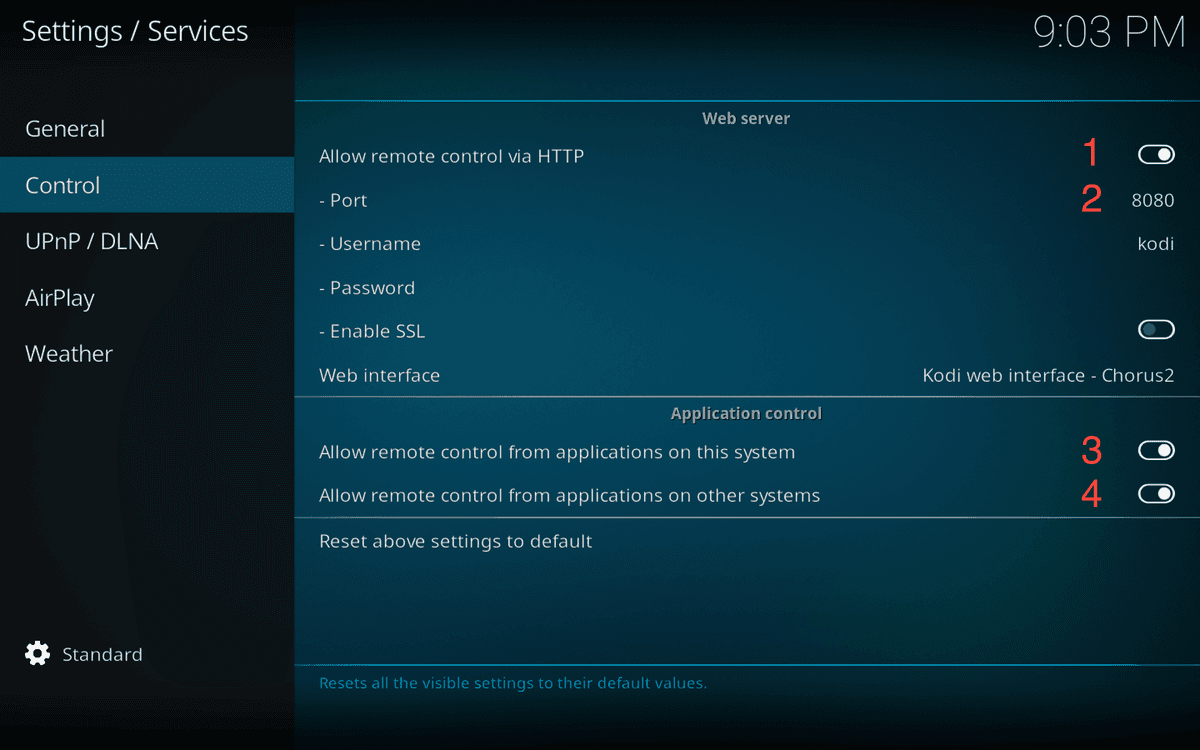
In Kodi, go to Settings > Services > Control. Enable “Allow remote control via HTTP” and set a port (default: 8080).
3.Connect wako to Kodi
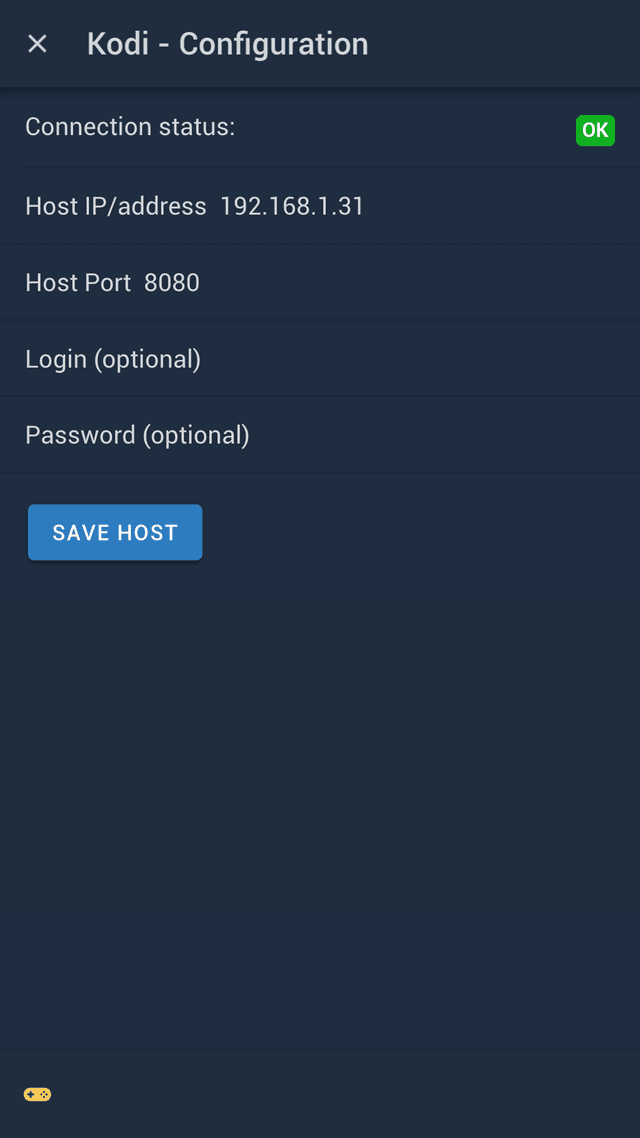
In wako, go to Settings > Kodi > Configure Hosts > Add. wako will automatically detect Kodi hosts on the same network.
If automatic detection fails, tap “Skip” and enter the IP address manually.
Features
Full Control
Navigate, play, pause, stop, adjust volume, and manage your library with an intuitive touch remote.
Auto-Sync
Your watch status automatically syncs between Kodi and your Trakt account.
Multiple Hosts
Control different Kodi installations from a single device. Switch between them instantly.
Send to Kodi
Browse content in wako, then send it to play on your Kodi with one tap.
Troubleshooting
wako doesn't find my Kodi
Try accessing your Kodi host from your phone's browser: http://YOUR_KODI_IP:YOUR_PORT (e.g., http://192.168.1.31:8080). If you can't access it, it's a network or firewall issue.
- — Make sure both devices are on the same network
- — Check that your firewall allows incoming connections on the Kodi port
- — Verify username and password (required for Kodi 19+)
- — Try disabling your firewall temporarily to test
Connection works but some features don't
- — Restart both Kodi and wako
- — Check you have the latest versions of both apps
- — Try removing and re-adding the Kodi host in wako